Automagisk for iPhone
Meeting minutes from your Mac, in your pocket.



What you get
Everything the Mac wrote, together on your phone.
-
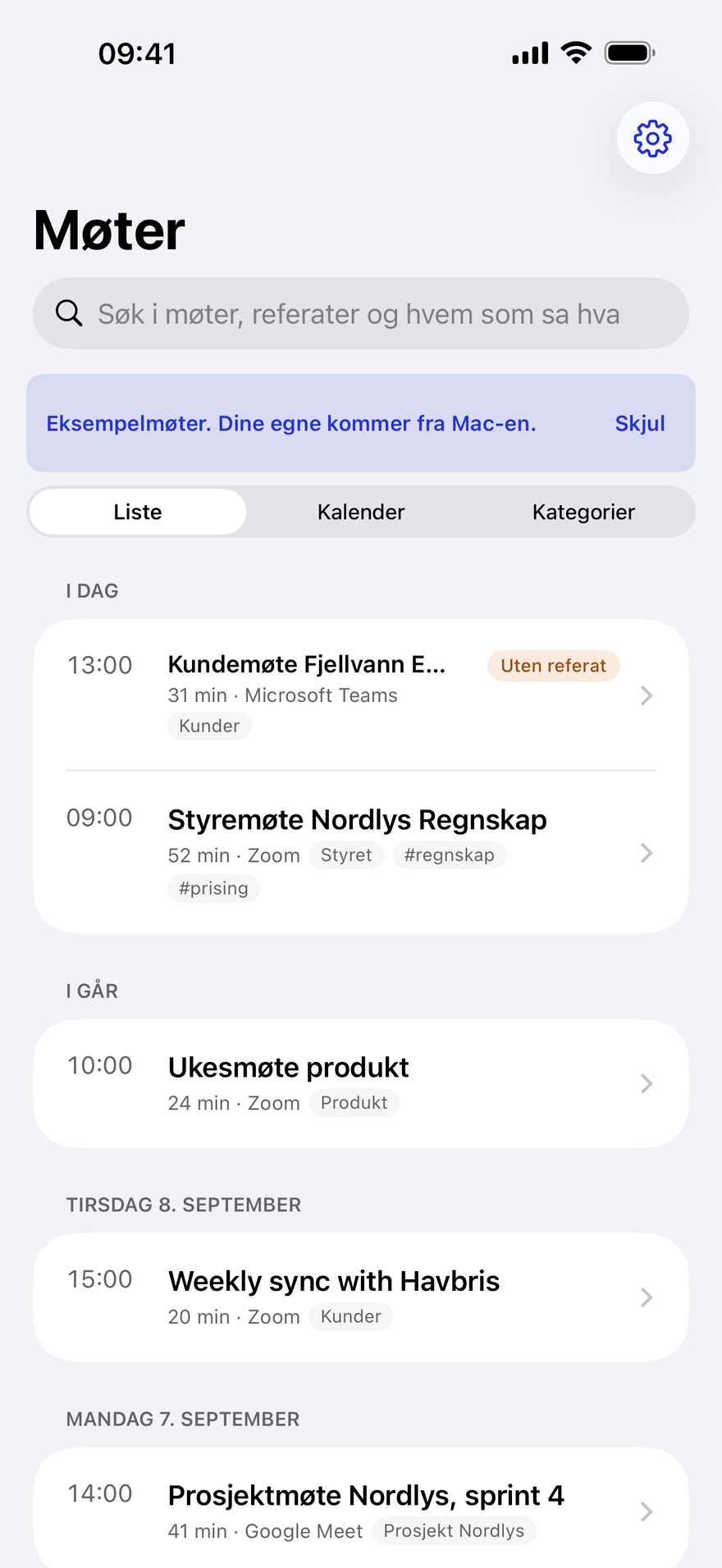
Every meeting in one place
Newest first, with the day and date as headings, and you see at a glance which meetings have minutes.
-
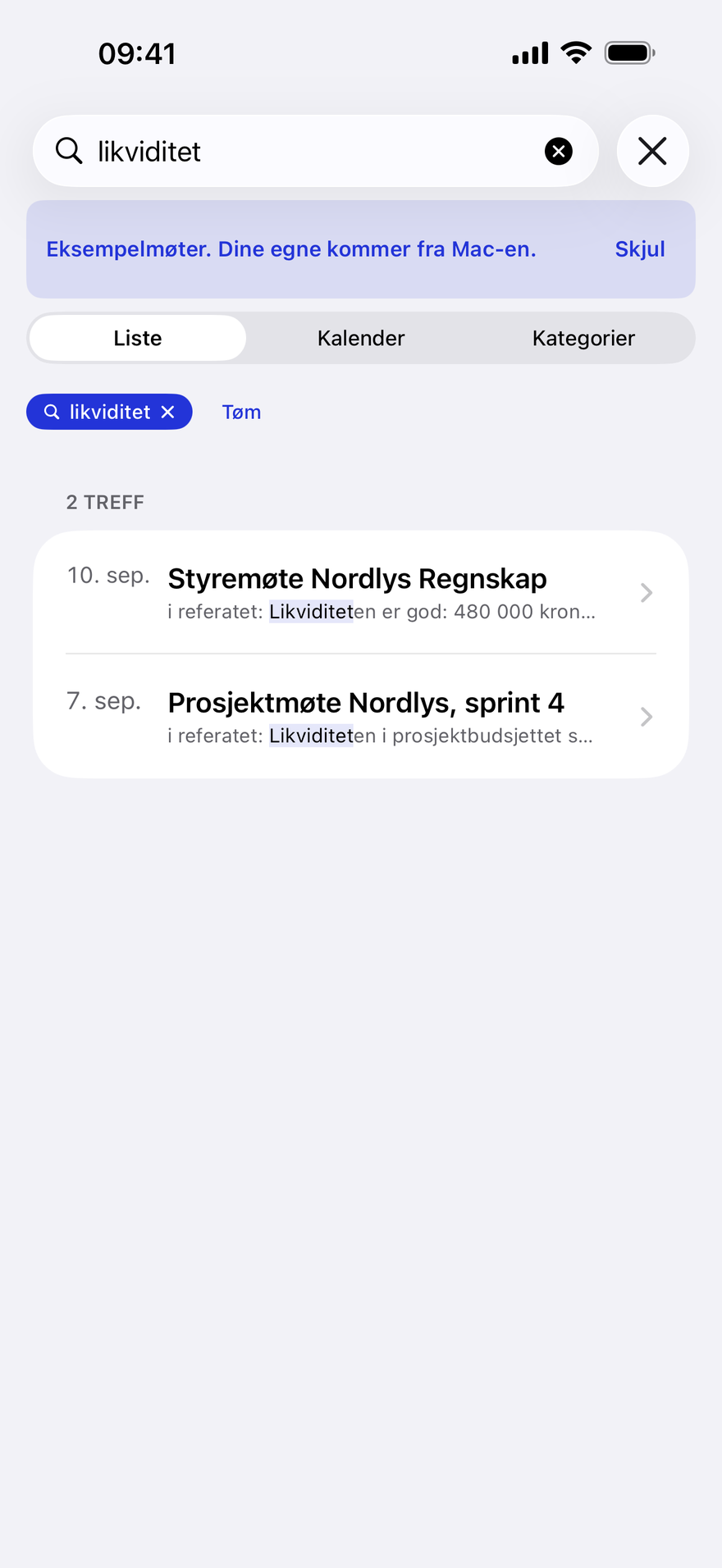
Search everything
One search field finds words in titles, minutes, action items, decisions and every single line said, and shows who said it.
-
Who said what
The full transcript with names and times, just as the Mac wrote it.

-
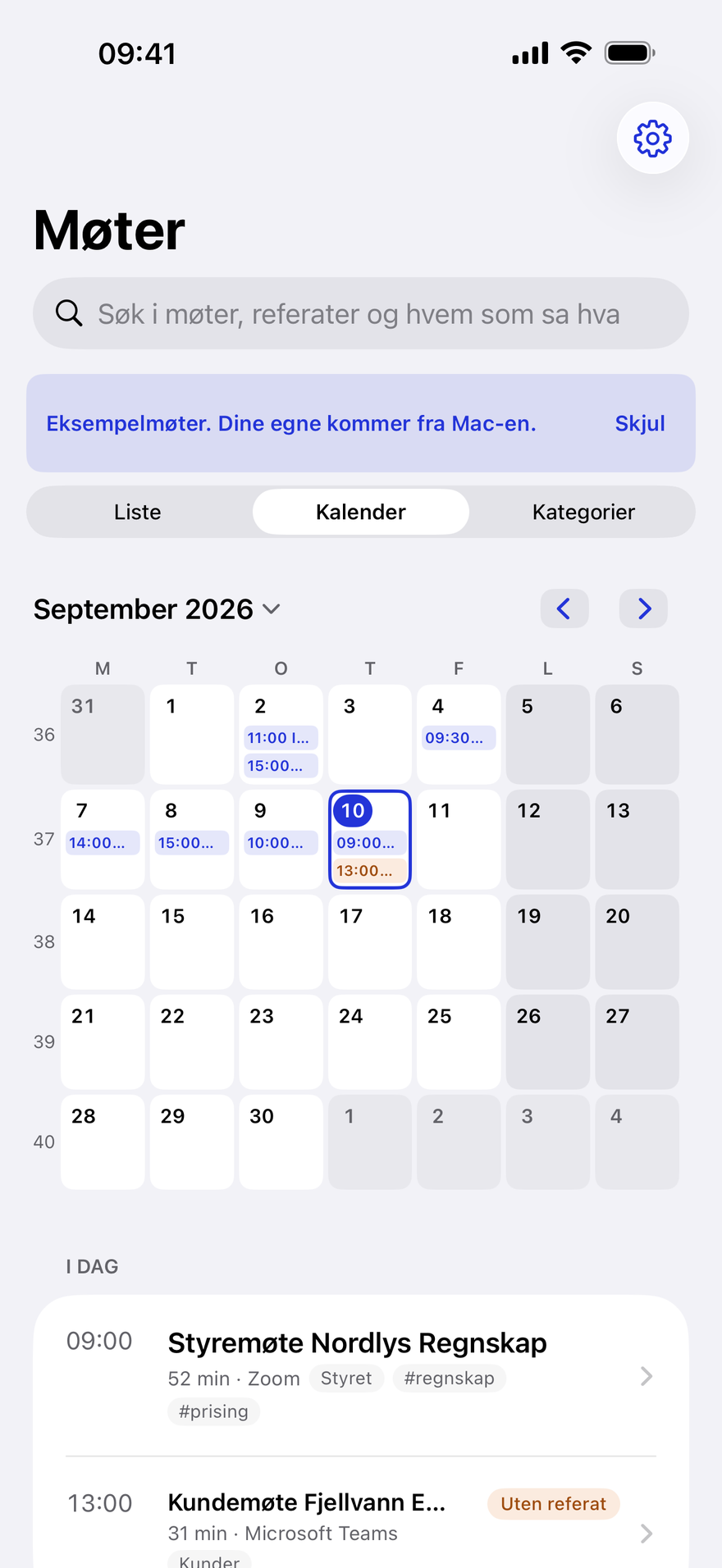
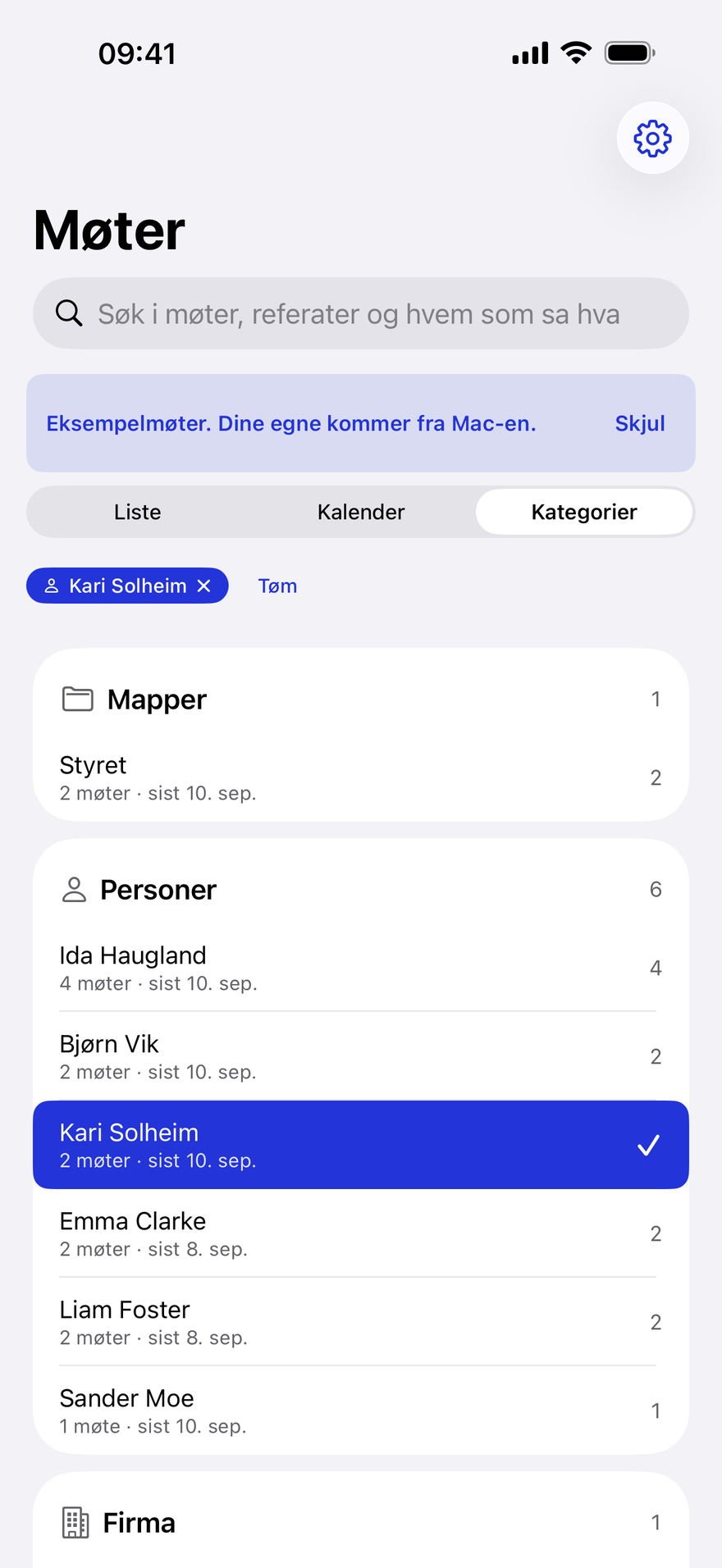
Calendar and categories
Browse meetings month by month, or by folder, person, company, app and tag.
-
Action items that follow along
Tick off an item or edit action items and decisions, and the change shows on the Mac too.


The film
From first launch to the categories.
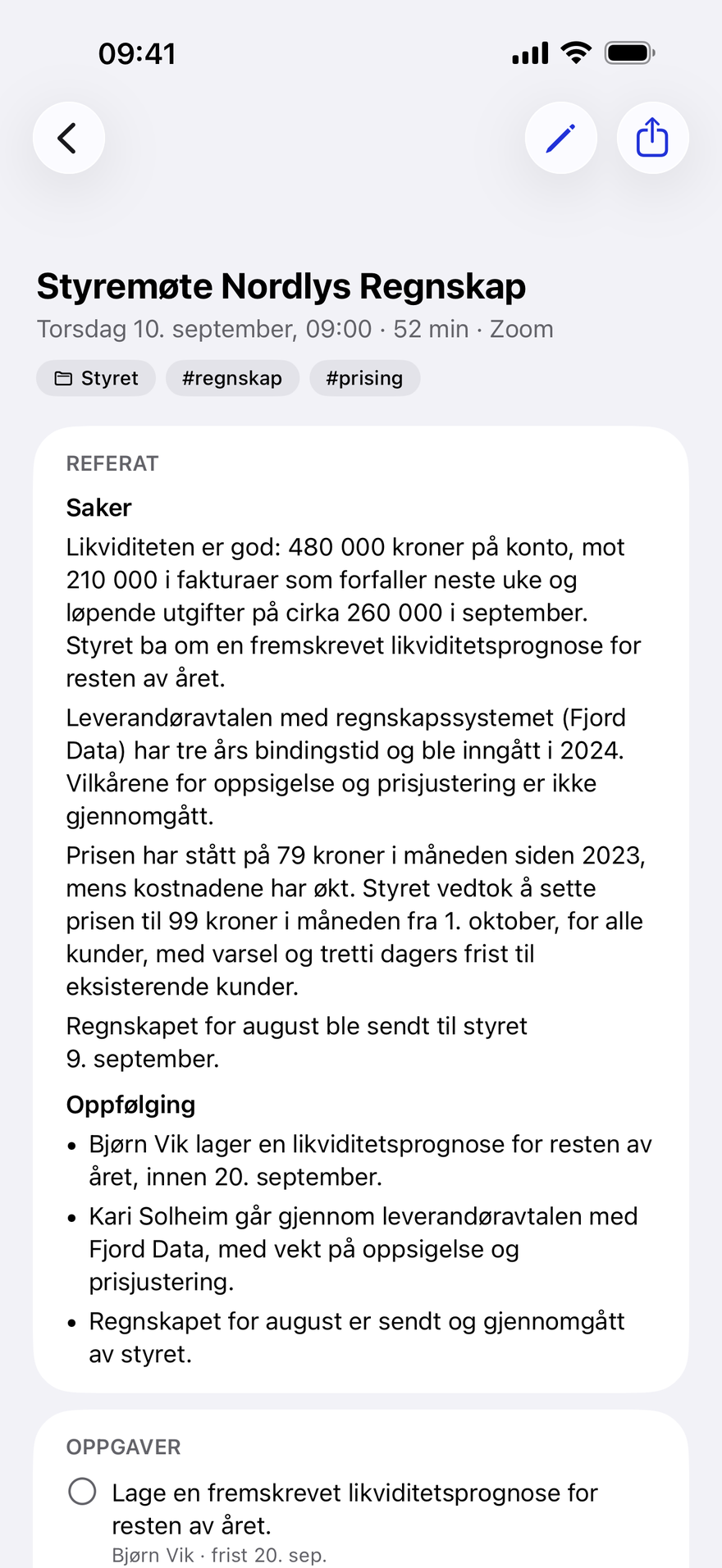
A recording of the app with the nine sample meetings: the list, search, a meeting, an action item being ticked off, who said what, the calendar and the categories.
No sound. Sequences shortened.
- Without a Mac, the iPhone app starts empty The first screen explains how the meetings arrive from the Mac.
- Show sample meetings Nine fictional meetings, read through the same code as real ones.
- Every meeting, newest first Grouped by day, with the folders and tags from the Mac.
- One search over everything Titles, minutes, tasks, decisions and every line in the transcript.
- The minutes, as the Mac wrote them Tasks with owners and deadlines, decisions, and who was there.
- Tick off a task With your own meetings, the change goes back to your Mac through iCloud.
- Who said what The full transcript, with the speaker names from the Mac.
- Calendar The same meetings, month by month.
- Categories Folders, people, companies, apps and tags.
How it fits together
The Mac writes. The iPhone reads.
Automagisk for iPhone shows the meetings Automagisk for Mac recorded and wrote up. Nothing is made on the phone.
- Records and writesThe transcript, minutes, action items and decisions are made here.
- KeepsMeetings are encrypted on the Mac before they leave, with a key only you hold.
- Reads, searches and ticks offWhat you tick off or edit goes back the same way.
Appit Not involved. Meetings never pass through us, and we have no access to them.
- 01
Automagisk for Mac, with iCloud sync on
You need Automagisk 7.6.6 or later on the Mac, with iCloud sync turned on. Then the meetings arrive on their own, usually within a couple of minutes.
- 02
Only you hold the key
The meeting key is shared only through your iCloud Keychain, so Passwords and Keychain must be on in iCloud, on both the Mac and the iPhone.
- 03
No tracking, no ads
The app has no analytics and sends nothing to Appit. Audio and voiceprints stay on the Mac and are never synced.
Download it. The meetings arrive on their own.
Without the Mac you can browse nine sample meetings and see how everything works.
