Automagisk for Windows · beta
Meeting minutes, now on your work PC.
Made for Windows 11 25H2 and 26H1, x64
The app is in Norwegian during the beta.
The beta is not signed yet, so Windows shows a warning before it installs. Here is how to continue.
This PC seems to have an ARM processor. The beta is built for x64, and Windows runs it emulated there. We have not tested that.

What you get
Meeting in, minutes out.
-
Recording the meeting
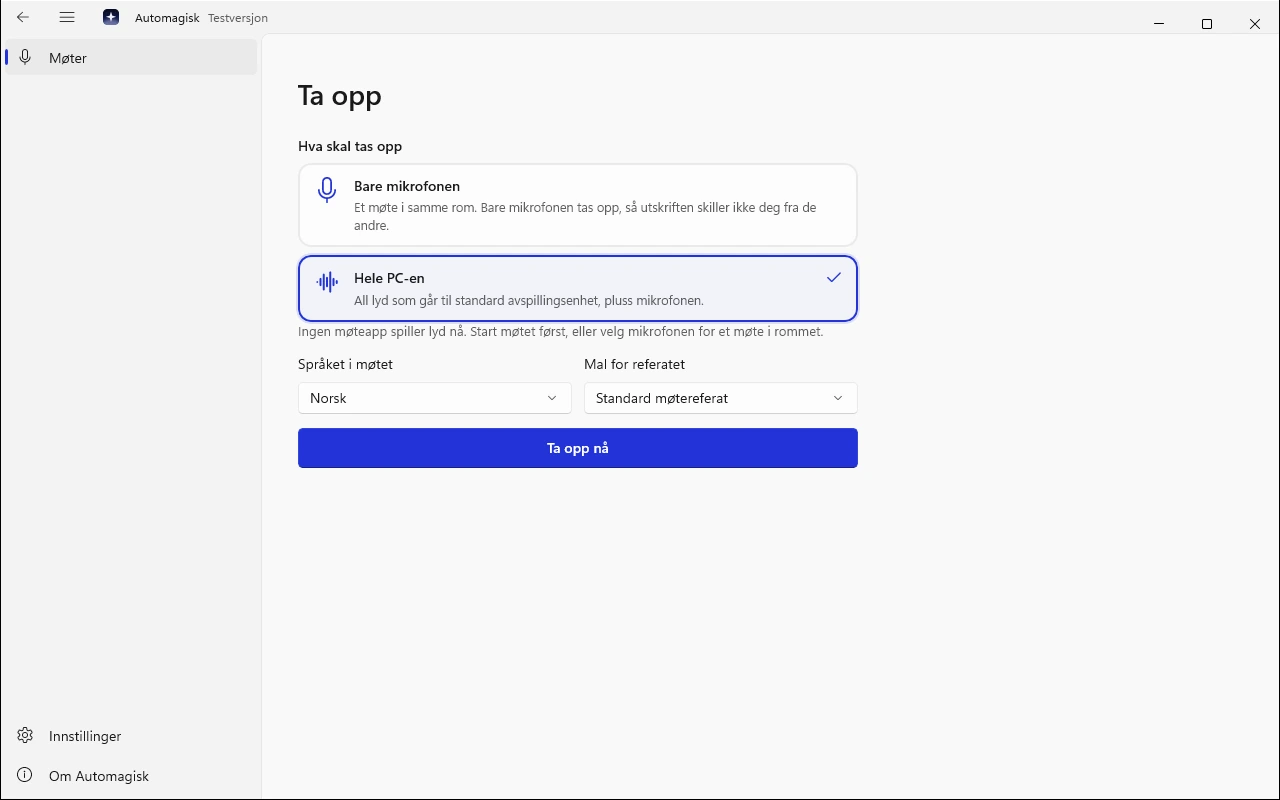
Your microphone and the sound from the meeting app you choose, and never the whole PC unless you ask for it.
-
Transcribed on the PC
Speech recognition runs here, with Parakeet for English and 24 other languages, and NB-Whisper from the National Library of Norway for Norwegian.
-
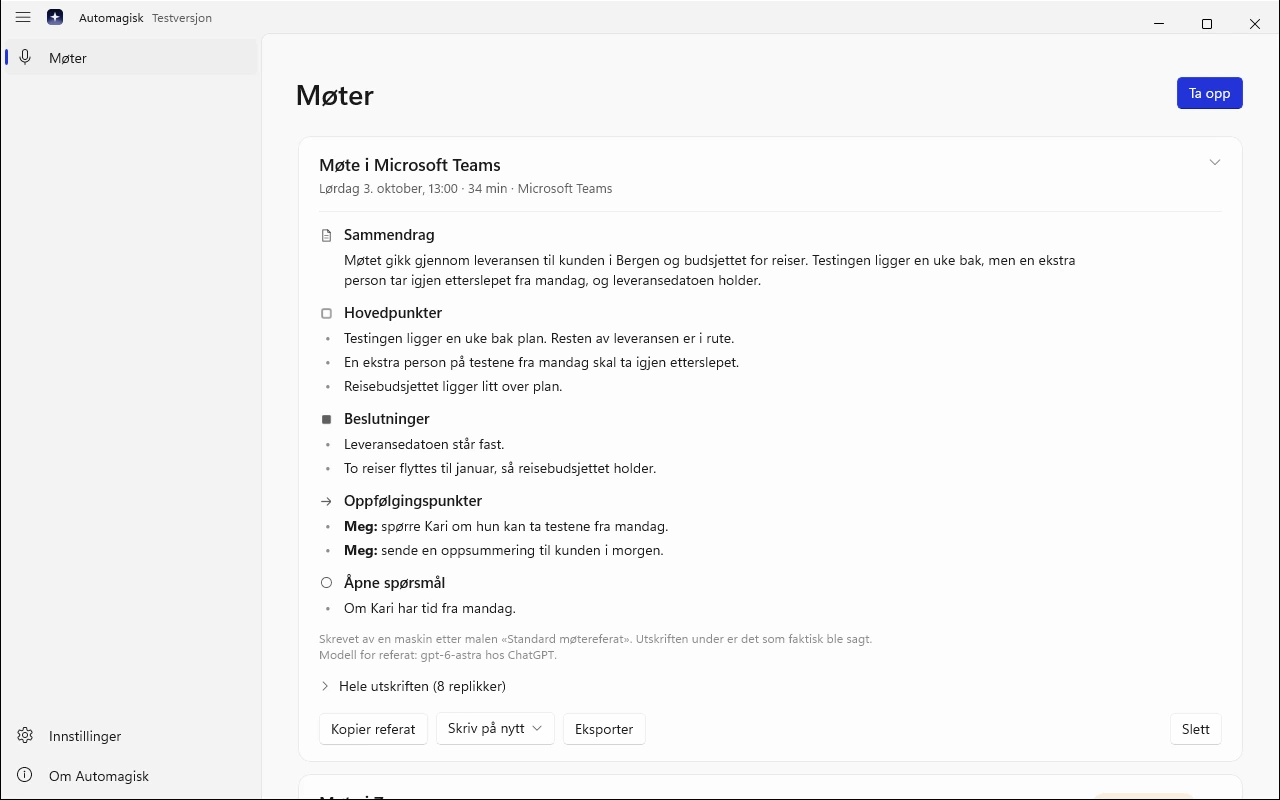
Minutes from 23 templates
Board meeting, sales meeting, performance review or quick note: the template sets the headings, and the minutes can be rewritten with another one.
-
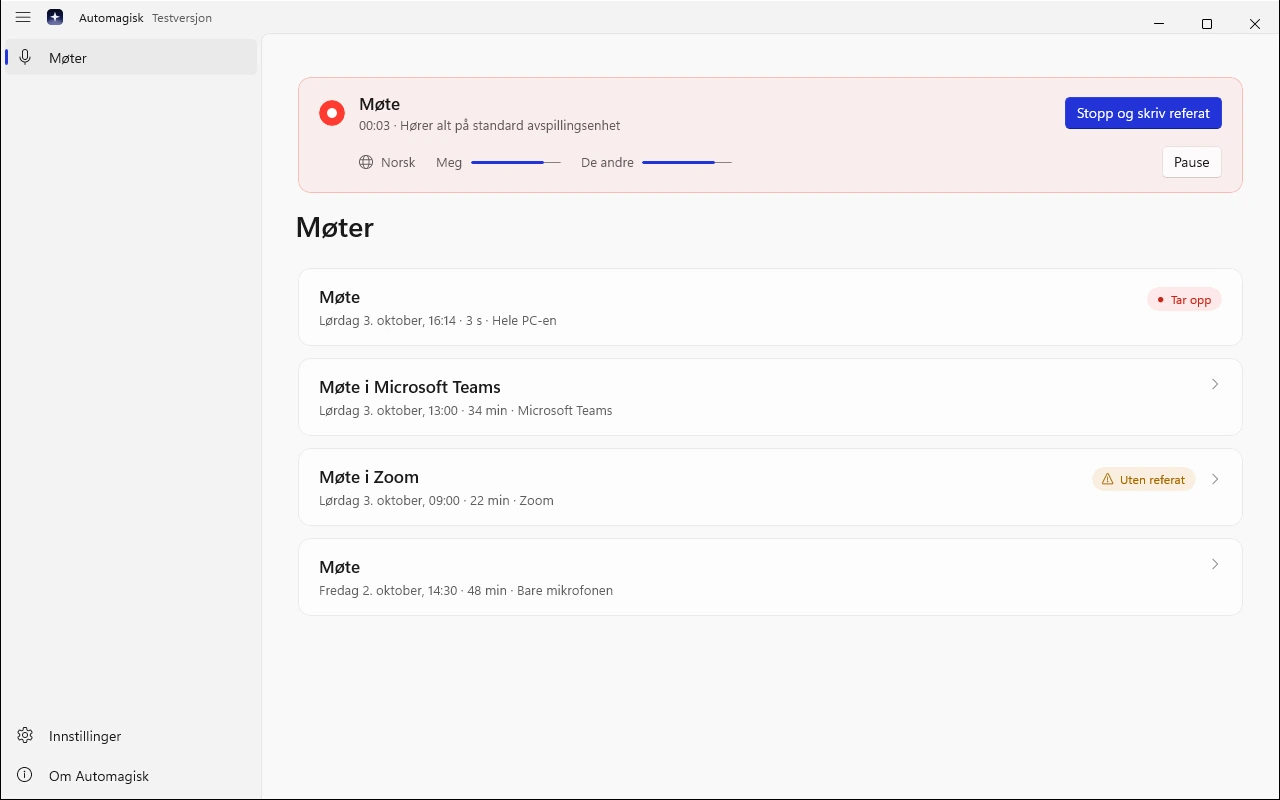
Me and The others
Every line has a time and says «Meg» or «De andre» (Me or The others), depending on whether it came from your microphone or from the meeting app.
-
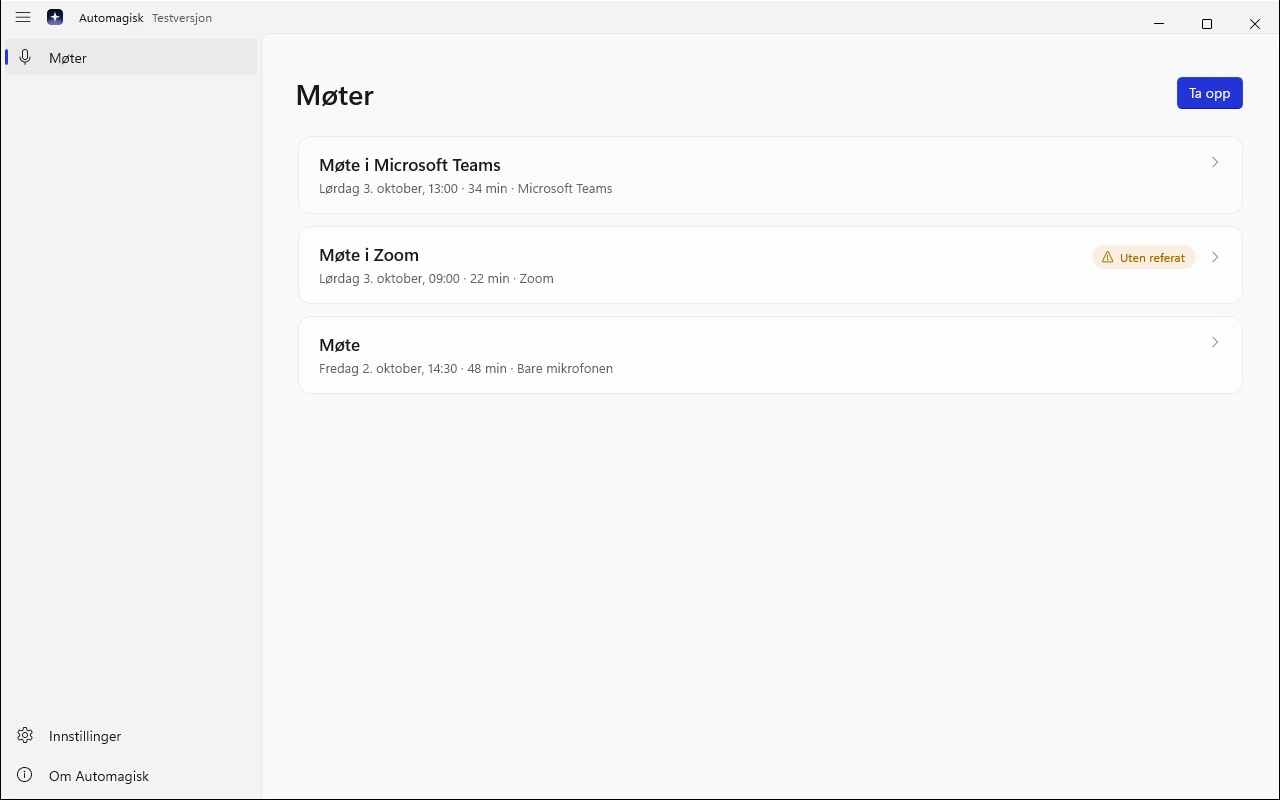
The meeting list
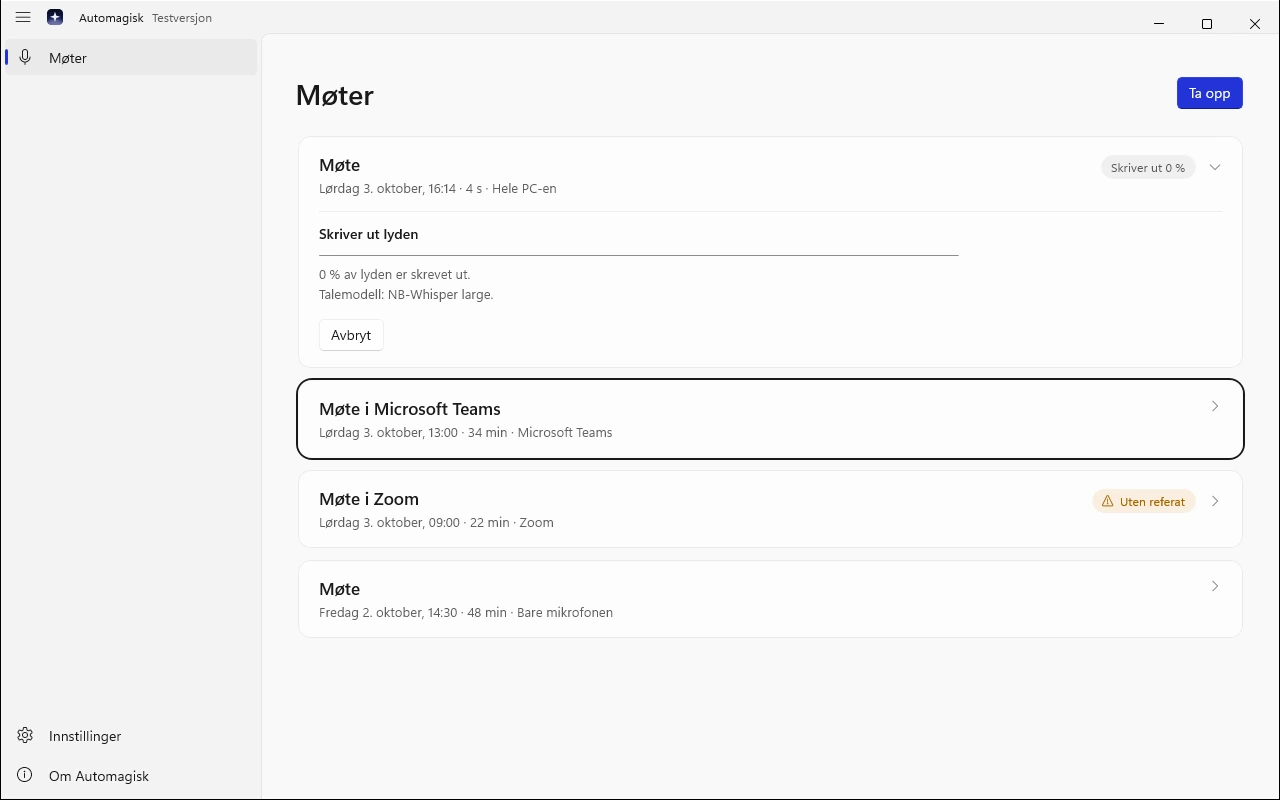
Every meeting on the PC, newest first, with title, date, length and whether the minutes are written.
-
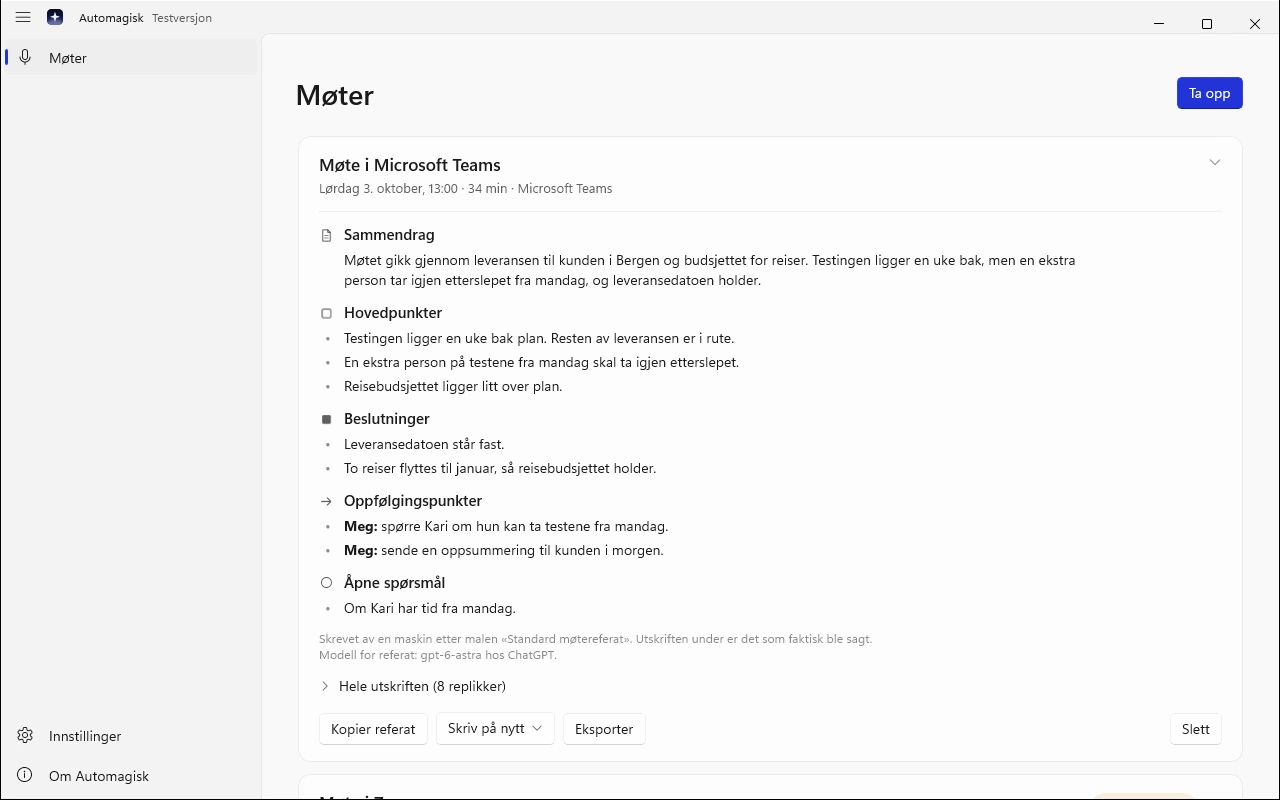
Copy and export
Copy the minutes straight into an email, or save them as a Markdown file.
How it fits together
The audio stays on the PC. Only the text goes out.
Automagisk records and transcribes on your PC. The minutes are written by the connection you chose, from the text you agreed to send.
- Records and transcribesThe audio, the transcript and the minutes are kept here, encrypted with a key locked to your Windows user.
- Writes the minutesYour ChatGPT or Grok subscription, or an API key. It gets only the text you said yes to, and sends the minutes back.
Appit Not involved. The text goes straight from the PC to the connection you chose, never through us, and we have no access to your meetings.

- 01
You say yes before anything is sent
The first time a connection is used, Automagisk tells you what will be sent and to whom, and asks. If you say no, nothing is sent, and the transcript stays on the PC.
- 02
The key is locked to you
Meetings are stored encrypted on the PC, and the key is protected by Windows for your user. A copy of the folder cannot be read on another PC.
- 03
No account with Appit
The beta has no sign-in with us, no payment and no licence check. Sign-ins and keys are stored encrypted on the PC.
Beta
A beta, and what that means.
Meeting minutes for Windows is new. Here is what has been tested, what has not been tested yet, and what you should know before you install.
Tested
- Installing without administrator rights, starting, every page of the app and uninstalling, in Windows CI on Windows Server 2025.
- Recording with a virtual sound card: sound from a separate program is recorded, transcribed and compared with the file that was played.
Not tested yet
- Real meetings in Teams, Zoom and the browser on an ordinary PC.
- Headsets and microphones over Bluetooth and USB.
- Sleep in the middle of a meeting.
- How long transcription takes on an ordinary laptop.
Not in the beta
- Starting a recording on its own when a meeting begins, screen sharing and slides, calendar, search and asking your meetings, action items as separate rows, importing audio files, live captions and speaker separation.
- Minutes written by a model on the PC, iCloud sync, English in the app, and PCs with ARM processors.
How to install
Windows warns about programs without a signature, and the beta does not have one yet.
- Download the installer. Your browser may say the file is not commonly downloaded. That is true, it is new: choose to keep it.
- Open the file. Windows shows «Windows protected your PC», because the beta is not signed yet and Windows does not know the publisher.
- Click «More info», then «Run anyway».
- Automagisk installs for your Windows user, without administrator rights. The first time you open it, the setup starts.
You do not need to turn anything off in Windows. If your employer manages your PC, ask IT first.
Free while it is a beta
No account with us and no payment. The minutes are written with your own ChatGPT or Grok subscription, or with an API key from OpenAI, Anthropic, Google, xAI, Groq, Mistral or OpenRouter, which the provider charges for.
Updates
The app checks for a new version when it starts, and uses it the next time you start it.
Found a bug?
Email trond@appit.ai with what you did and what happened, and include the version and build from Om Automagisk (About Automagisk). Never send meeting audio or a transcript from a real meeting.
Download it. Record your next meeting.
Made for Windows 11 25H2 and 26H1, x64
The app is in Norwegian during the beta.
Version 0.9.2, build a36296b
SHA-256: 6749099e7190ba0a64294ffe3f5d93d45722161f5eec97ff354fb4fc1cf58a45
- Windows 11 25H2 or 26H1, x64. Installs for your user, without administrator rights.
- Room for the speech models: Parakeet for English and 24 other languages is 1.3 GB, and NB-Whisper for Norwegian is 1.1 GB. They are downloaded once.
- Without a connection the meeting is recorded and transcribed as usual, and the minutes wait until the PC is online again.
